Published: December 10, 2025
You click submit for the third time. You watch the loading circle spin endlessly before the screen freezes and kicks you back to the form. It is 11:42 p.m., you have been working on this application for two hours, and the priority deadline is tomorrow morning.
Your hands shake as you refresh the page, terrified that all your data disappeared and you will have to start over.
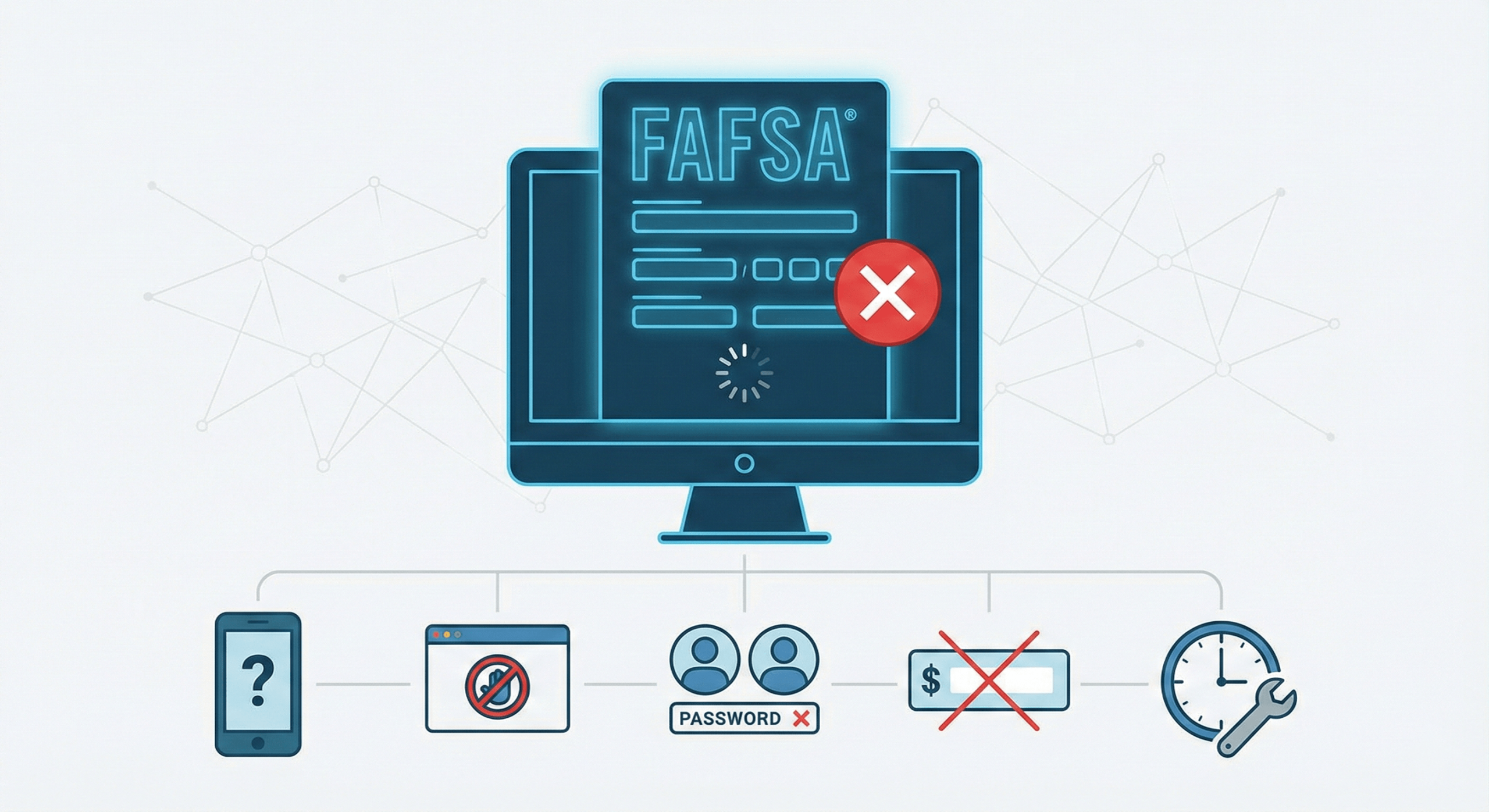
Submission errors remain a common friction point during peak filing periods. User reports and support trends suggest that thousands of families encounter technical hurdles each year. Most issues stem from five common problems that can be identified and resolved within minutes, though panic often prevents families from recognizing the simple fixes.
The FAFSA system processes millions of applications annually, and technical glitches, user errors, and browser compatibility issues can all prevent successful submission.
Knowing where to look when the submit button fails can mean the difference between meeting your deadline and losing thousands in aid eligibility.
CHECK 1: BROWSER AND DEVICE COMPATIBILITY
Federal Student Aid guidance frequently recommends specific browsers for optimal performance. Chrome and Safari typically provide the most stable experience, while older versions of Internet Explorer or Edge can cause freezing or submission failures.
- Mobile Limitations: Phones and tablets may display forms incorrectly. While mobile-friendly, the platform is complex, and completing the form on a desktop is often recommended to avoid signature timeouts or display errors.
- Cache Conflicts: Browser cache and cookies can interfere with form functionality. If you have been working on FAFSA across multiple sessions or tried submitting repeatedly, accumulated data may be causing conflicts.
- Pop-Up Blockers: The final submission steps may trigger pop-ups that your browser automatically blocks. This creates the appearance that nothing happened when you clicked submit, preventing the confirmation screen from loading.
The Implications: Switching browsers or devices takes thirty seconds but could solve a problem you have been fighting for an hour.
CHECK 2: FSA ID ISSUES
Both student and parent must sign FAFSA electronically using FSA IDs, and authentication problems frequently prevent submission. If either party’s FSA ID was not created at least three days before attempting to submit, the system may reject the signature.
- Credential Precision: Usernames and passwords must be entered exactly as created. Adding extra spaces, using incorrect capitalization, or misremembering credentials will trigger rejection.
- Verification Gaps: Some families discover too late that they created an FSA ID but never completed the verification email step. Without confirming the account through the email link sent during setup, the FSA ID remains inactive.
- Dormant Accounts: Accounts that have not been used in years may require password resets. If you created an FSA ID for an older child’s FAFSA and haven’t logged in since, the system may flag unusual activity or lock the account.
The Implications: You can complete 100% of the FAFSA correctly and still be unable to submit if either FSA ID has any authentication issue.
CHECK 3: REQUIRED FIELD ERRORS
The FAFSA highlights incomplete or incorrectly formatted fields, but error messages do not always appear prominently. A single missed question buried on page four can prevent submission even after you have clicked through to the signature page.
- Visual Audits: Scroll through every page systematically looking for red text, asterisks, or highlighted boxes. Questions asking for dollar amounts must include numbers, not text like “none” or dashes.
- Formatting Rules: The system requires specific formatting for income, assets, and tax data. Entering “$50,000” instead of “50000” in certain fields can trigger errors, mirroring the data mismatches that may trigger missing school forms notifications used by colleges during processing.
- Dependency Conflicts: If you indicated your student has dependents but did not provide their information, or checked that they are married but left spouse data empty, the form will not process until these conflicts resolve.
The Implications: One incorrectly formatted field out of 100+ questions can block submission, and the error message might not clearly indicate which field or page needs correction.
CHECK 4: SYSTEM MAINTENANCE AND PEAK TRAFFIC
Federal Student Aid performs regular system maintenance, typically overnight or on weekends. If you are attempting submission during a scheduled maintenance window, the system may appear functional but refuse to process your application.
- Server Overload: The days immediately before major deadlines see massive submission volumes that can slow or crash the system, reminiscent of FAFSA meltdown 2025 parent guide delays.
- Status Blindspots: The FAFSA website displays system status notifications, but they are not always prominent. Check the top of the page or the Federal Student Aid homepage for alerts about outages or degraded performance.
- Processing Latency: Some errors stem from backend processing delays rather than form issues. Clicking submit multiple times while waiting for processing can actually create duplicate submission attempts that trigger additional errors.
The Implications: If the system is down or overwhelmed, no amount of troubleshooting your form will help, and you need to know whether to keep trying or wait for servers to recover.
CHECK 5: DIRECT DATA EXCHANGE (FA-DDX) FAILURES
The Direct Data Exchange (FA-DDX) allows families to import tax information directly into FAFSA, but technical friction can occur. If the exchange fails and your form won’t submit, the imported data may contain formatting errors or missing values.
- Transcript Gaps: The system might show that data was retrieved when some fields actually remained empty or imported incorrectly. Manually reviewing every financial field populated by the tool can reveal gaps that prevent submission.
- Status Conflicts: Families who filed amended tax returns or married/divorced between the tax year and FAFSA filing year often encounter conflicts. The IRS database may not reflect your current situation accurately, causing validation failures.
- Manual Entry: Some filers need to manually enter tax information instead of using the exchange. If you have attempted the tool multiple times without success, typing the information directly from your tax return may resolve the issue.
The Implications: The convenience feature designed to simplify FAFSA can become the exact thing preventing submission if it malfunctions or imports data incorrectly.
WHAT TO DO WHEN NOTHING WORKS
Document your submission attempts with screenshots showing error messages, timestamps, and any technical issues encountered. If you miss a deadline due to system failures, this documentation may support appeals to financial aid offices.
- Contact Support: Contact the Federal Student Aid Information Center at 1-800-4-FED-AID immediately if you cannot resolve submission problems independently.
- Institutional Grace: Some colleges may consider appeals from families who experience legitimate technical difficulties. Reach out to financial aid offices directly to inquire if late submissions due to system errors are accepted.
- Alternate Access: Consider using a school computer lab or public library if home internet or devices seem to be causing issues. School counselors often have experience helping students submit FAFSA.
The Implications: Knowing when to stop troubleshooting independently and seek help can prevent missed deadlines that cost thousands in aid eligibility.
PREVENTION FOR FUTURE YEARS
Complete FAFSA well before deadlines to allow time for technical troubleshooting without panic. Families who file weeks or months early can resolve submission issues calmly rather than racing against midnight cutoffs.
- ID Testing: Test FSA IDs immediately after creation to confirm they work correctly. Log in and out several times to verify authentication succeeds consistently before you need them for actual submission.
- Save Protocols: Use the Save feature after completing each page. This prevents data loss if technical issues arise and allows you to return to the application without starting over.
- Tech Checks: Review system requirements before beginning FAFSA. Federal Student Aid publishes recommended browsers, operating systems, and technical specifications that can prevent compatibility issues.
The Implications: An extra fifteen minutes of preparation before starting FAFSA can eliminate hours of frustration and panic when submission problems arise at the worst possible moment.
School Aid Specialists provides news and analysis for informational purposes only. This content is not financial advice, legal advice, or a substitute for official government guidance. Financial aid regulations and FAFSA procedures are subject to change. Always verify deadlines and requirements with Federal Student Aid (StudentAid.gov) or your university’s financial aid office.

Sarah Johnson is an education policy researcher and student-aid specialist who writes clear, practical guides on financial assistance programs, grants, and career opportunities. She focuses on simplifying complex information for parents, students, and families.