
Published: January 4, 2026
Teachers are collecting phones in laundry baskets. Don’t let your $1,000 iPhone get scratched or stolen. Secure it yourself.
It’s January 2026, and the Ohio school cell phone ban is fully operative. But there is a hidden danger most parents aren’t talking about yet: Theft and Damage.
If your school uses “Classroom Collection” (where teachers collect phones in a bin or wall caddy), your child’s device is sitting in an unlocked pile. Phones can get scratched in bins, cracked when dumped out, or go missing during chaotic dismissal.
The Solution: a cheap personal lock pouch. Your child locks the phone before handing it over. The teacher gets the phone (compliance), but nobody can access the screen, ports, or camera (security).
Here is the gear that is saving parents stress this semester, from lock pouches to “Safe” watches.
1. Cheap “Teacher Basket” Hero: Personal Lock Pouch
Best For: Students in schools that require phones to be collected at the start of class.
The Nightmare Scenario: Imagine a teacher holding a plastic bin. Thirty students toss their phones in. Some have heavy Otterboxes; others have bare glass screens. As the bin gets passed around, metal zippers scratch glass screens. Worse, at the end of class, it’s a free-for-all grab. It is far too easy for another student to accidentally (or purposely) grab the wrong black iPhone.
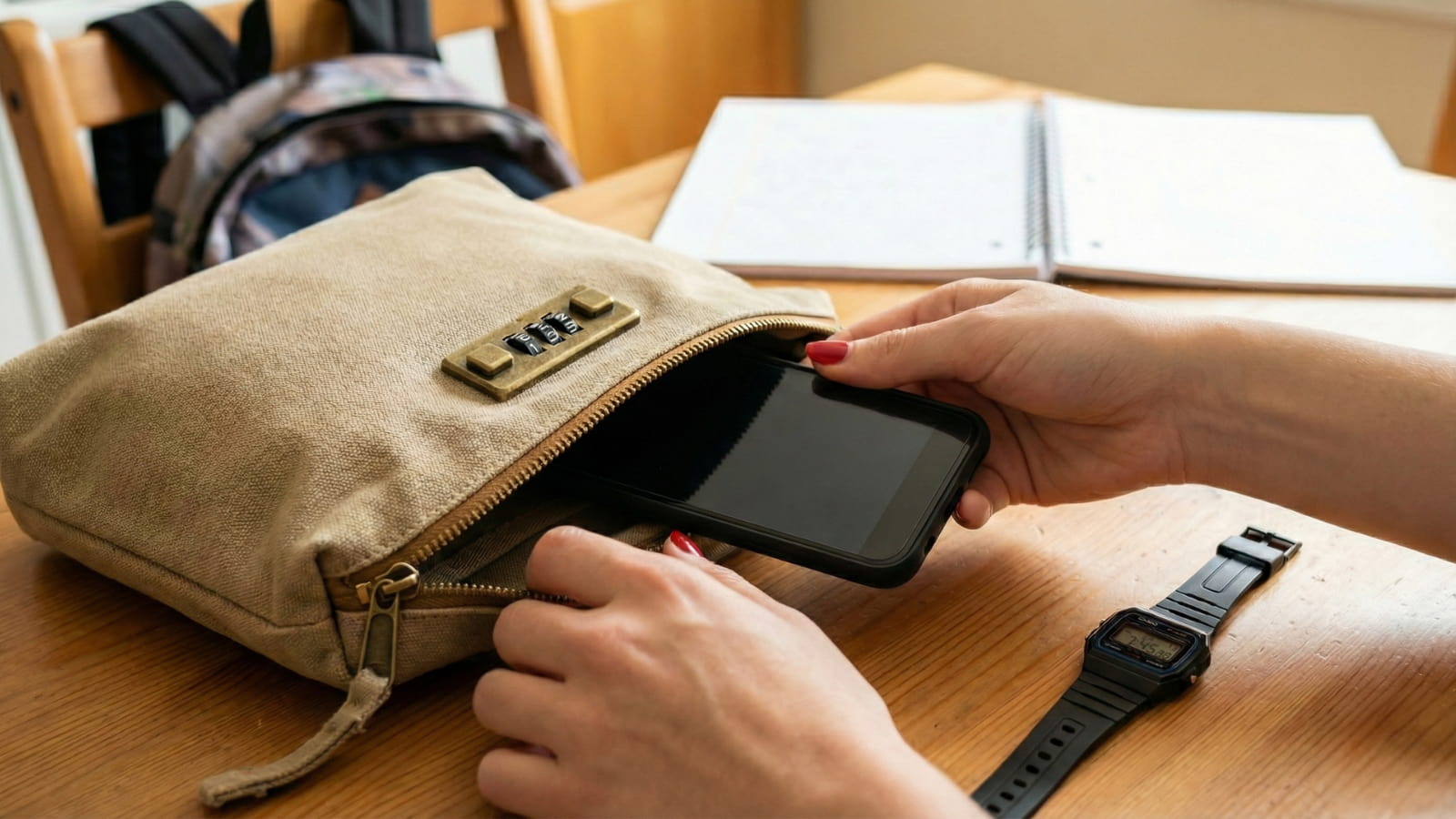
The Fix: A Combination-Lock “Bank Bag” These heavy-duty canvas bags are designed for cash drops, but they are the perfect size for large smartphones.
Top Pick: The Heavy-Duty Canvas Money Bag
- Why it wins: It creates a physical barrier. Even if the teacher drops the bin, your phone is padded by canvas.
- The Security: You set a 3-digit code. Your child locks the phone before dropping it in the basket. No other student can “accidentally” unlock it.
- Teacher Approved? Generally, yes. Teachers care about compliance (“Is the phone away?”). They rarely object to the phone being inside a small bag, as long as it fits in the collection bin.
Buyer’s Checklist (Don’t Buy Junk):
- Get Canvas, Not Nylon: Nylon rips too easily. Heavy canvas (16oz) withstands daily abuse in a backpack.
- Combo, Not Key: Never buy a pouch with a key. Your child will lose the key in the first week, and you will have to cut the bag open. Always get the 3-digit wheel lock.
- Size Matters: Ensure it is at least 8.5″ x 4.5″. Modern “Pro Max” or “Ultra” phones with cases barely fit in standard pencil pouches.
2. Non-Smart Watches Schools Usually Allow
The Panic: Many schools have banned Apple Watches and Galaxy Watches because they can send texts and access the web. The Loophole: Most policies explicitly allow “Digital Watches” or “Fitness Trackers” provided they do not have cellular, Wi-Fi, or text-replying capabilities.
If your child relies on a watch to know when to head to the bus or track sports practice, you need a “Dumb Watch.”
Option A: The “Retro” Casio (The Trend) Believe it or not, 1980s Casio watches are trending among teens right now. They are seen as “vintage cool,” and for parents, they are the perfect loophole.
- Why it works: It has zero internet connectivity. Teachers know exactly what it is. It has a stopwatch, alarm, and backlight—everything a student needs, nothing they don’t.
- Price: Extremely affordable (~$20–$30).
- Model to search: Casio F91W (The classic) or Casio G-Shock DW5600 (Indestructible).
Option B: The “Safe” Fitness Tracker (Fitbit Inspire 2/3) If your child wants to count steps or track heart rate for sports but isn’t allowed a smart screen, this is the middle ground.
- Why it works: The Fitbit Inspire series is narrow and low-profile. While it connects to a phone via Bluetooth to sync data, the older models often lack the advanced “keyboard reply” features that get expensive watches banned.
- Warning: Turn off “Notifications” in the app settings so the watch doesn’t buzz during class. If a teacher sees it lighting up with texts, they will confiscate it regardless of the model.
3. The “Focus Tool” for Home: The Time-Lock Safe
Best For: Ending the “Homework Battle.”
The Problem: You tell them to study for two hours. They say okay. Ten minutes later, you catch them scrolling TikTok. You take the phone away, and a fight starts.
The Fix: A physical jail for the phone that removes you from the equation.
Top Pick: kSafe (The Kitchen Safe) This isn’t a soft pouch; it is a hard plastic vault with a locking lid driven by a motorized timer.
- How it works: You place the phone (or video game controller) inside. You twist the dial to “60 Minutes.” You press the button.
- The Kicker: It locks. It stays locked. There is no override code. There is no back door. Even if you take the batteries out, the electronic lock remains engaged until the timer hits zero.
- Why parents love it: You aren’t the bad guy anymore. You can say, “I’d love to let you have it, but the box won’t open for another 40 minutes. Sorry!” It forces the student to focus because the option to scroll is physically removed.
4. What Schools Use: The “Yondr” Pouch
Can you buy this? Generally, no. If your school uses the gray/green neoprene Yondr pouches, they own them. They are sold in large B2B contracts to districts, not to individual parents.
- How it works: It uses a high-strength magnetic locking mechanism (similar to clothing security tags). Students put their phone in at the door, lock it, and keep the pouch. They unlock it at a base station on their way out.
- The “Hack” Warning: Your child might show you a YouTube video on how to open a Yondr pouch using a strong magnet or by banging it on a desk. Do not let them do this.
- The Consequence: Schools treat “breaking the pouch” as “Destruction of School Property.” In some schools, this carries a fine ($30+) and an automatic suspension. It is not worth it.
Frequently Asked Questions
Will a combination lock pouch stop a thief?
It won’t stop a determined thief with scissors, but it stops the “Opportunist.” Most classroom thefts happen because a phone is loose and easy to grab. If a thief has to steal a whole bag or cut it open, they will usually move on to an easier target.
Can I use a Faraday Bag (Signal Blocker) instead?
You can, but we don’t recommend it for school. Faraday bags block all signals (Cell, Wi-Fi, GPS). This means “Find My iPhone” and “Life360” will stop working. If your child forgets to take it out of the bag on the bus, you won’t know where they are. A canvas lock pouch protects the phone but still allows the GPS signal to ping.
Are these pouches waterproof
Most canvas money bags are “water-resistant,” meaning they can handle a spilled water bottle in a backpack, but they are not waterproof. Do not submerge them.
What if my child forgets the combination?
This happens. When you first get the pouch, set the code to something easy to remember (like the last 3 digits of their phone number). If they truly forget it, you can usually “pick” these simple locks by pulling tension on the zipper and feeling for the click in the wheels, but it takes patience.
Do teachers really allow the pouches?
In our experience, yes. Teachers are tired of being the “Phone Police.” If a student walks in and says, “I’m locking my phone in my personal pouch and putting it in the bin,” most teachers are thrilled. It shows responsibility and compliance.
Summary Checklist
- For School Safety: Get a Combination Lock Pouch (Canvas) to protect from “Basket Scratches” and mix-ups.
- For Communication: Swap the Apple Watch for a Casio G-Shock or simple Fitbit to keep track of time without breaking the rules.
- For Homework: Get a Time-Lock Container (kSafe) to stop the arguments and build focus habits at home.
- For Medical Needs: Don’t buy a pouch yet. Check if you qualify for a Medical Exception first.
Disclaimer: Rules vary by district. Check your specific student handbook for what’s allowed.

Sarah Johnson is an education policy researcher and student-aid specialist who writes clear, practical guides on financial assistance programs, grants, and career opportunities. She focuses on simplifying complex information for parents, students, and families.