
Published: January 4, 2026
If you do one thing today: pull your district PDF and screenshot “confiscation + return + exceptions.”
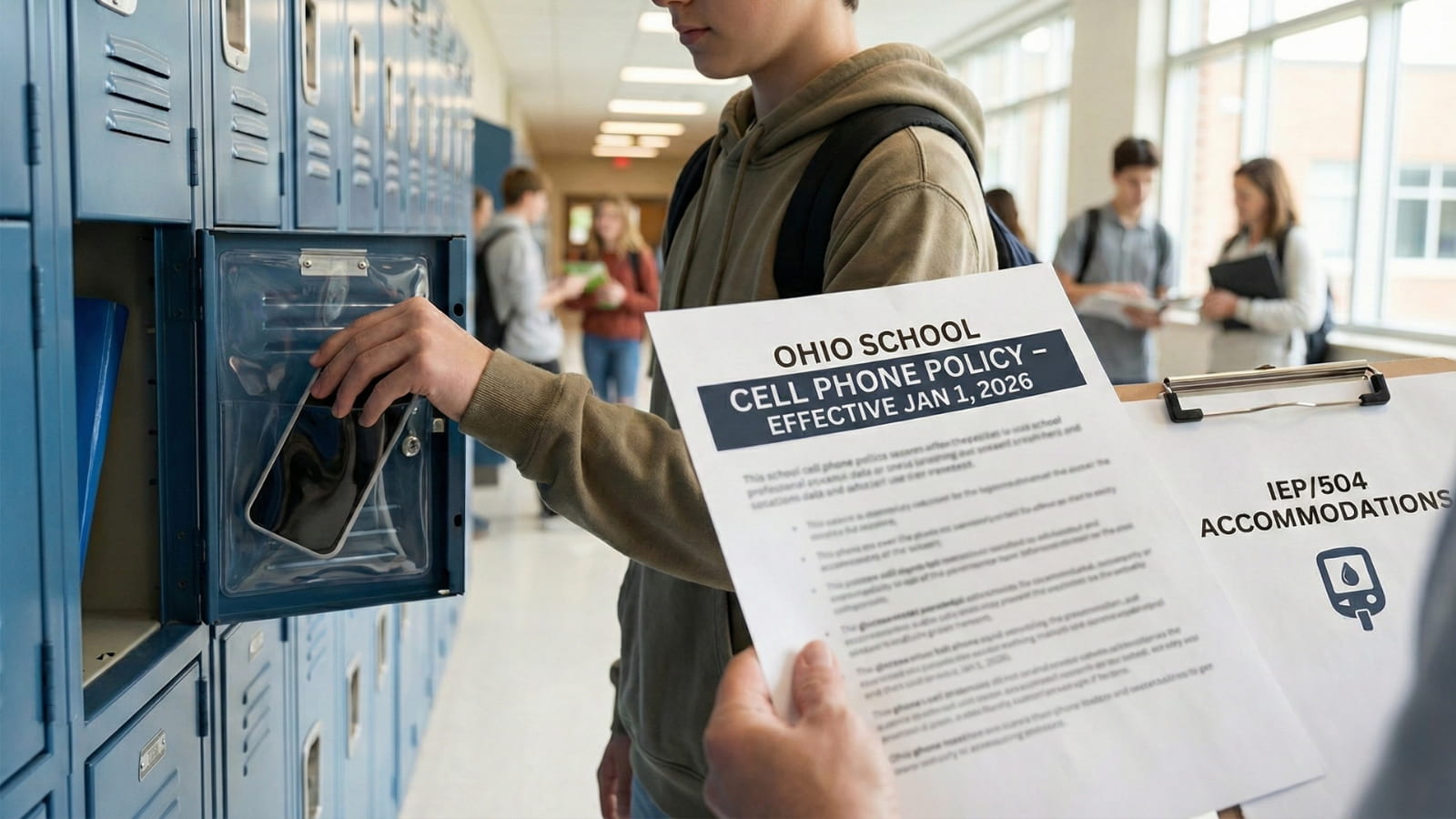
If your child goes to a public school in Ohio, their daily routine just changed. As of Jan. 1, 2026, Ohio districts must have a policy that prohibits student cell phone use during the instructional day.
Many districts are going stricter with “bell-to-bell” rules (phones off/away all day), so you need to check your district’s exact policy today.
If you’re dealing with a specific situation, jump to the exact fix:
- What happens if they take it?: Confiscation & parent pickup rules
- Need an exception: Medical + IEP/504 exceptions (email scripts)
- Pickup/emergencies: How parents contact kids now (bus rules too)
- Protect the phone: Lock pouches + allowed watches
Here is exactly what you need to know to avoid confiscation and discipline.
DO THIS FIRST (2 Minutes)
- Pull your district’s policy PDF: Don’t rely on rumors. Search: “[District Name] cell phone policy”.
- If your child needs medical monitoring: Get a note that clearly says smartphone/device needed during the instructional day (many districts require this).
- If your child has an IEP/504: Email the case manager/principal and point to the exact line that requires device/assistive tech access.
- Consider a Basic Watch: Some families use basic digital watches (non-smart) as a workaround for communication, but check your specific school rules first.
The “Policy Finder” Shortcut
Districts bury these rules in 100-page handbooks. Don’t read the whole thing. Use this specific search strategy to find the rules that matter to you.
Google this exact phrase: [Your District Name] cell phone policy pdf Also try: [Your District Name] student code of conduct cell phone
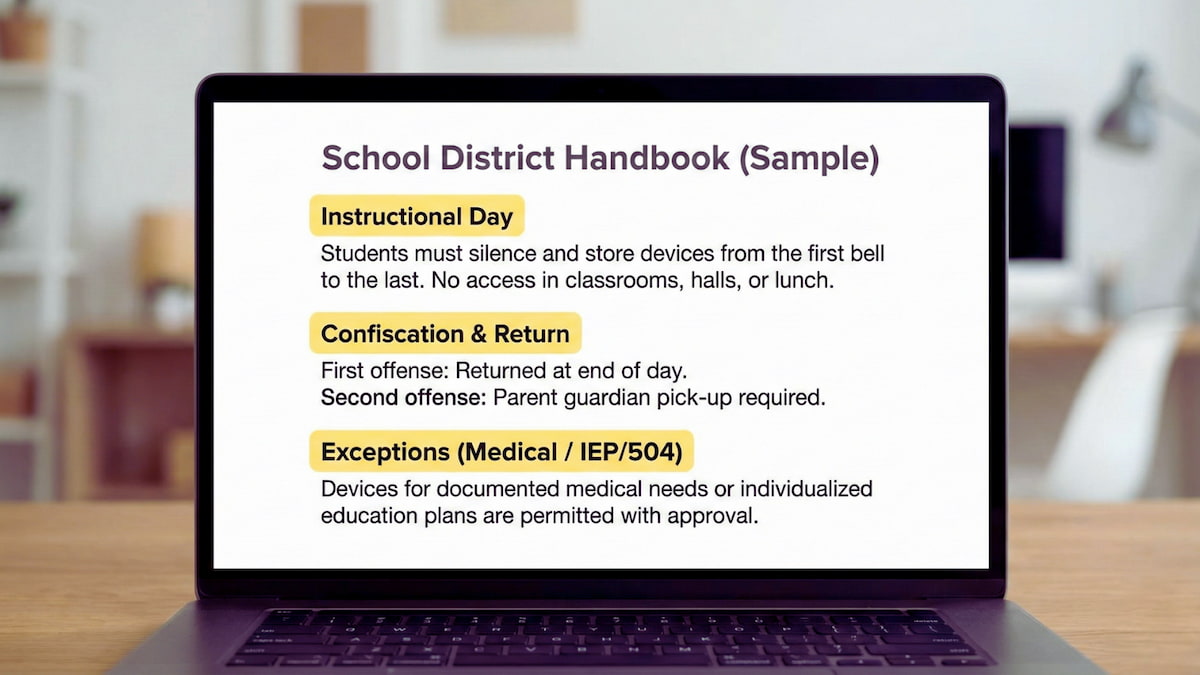
Once you open the PDF, screenshot these 3 sections immediately:
- “Instructional day / instructional time” (This defines when the ban applies).
- “Confiscation / return” (This defines who can take it and when you get it back).
- “Exceptions / medical / 504” (This defines your rights).
Save these screenshots. You will need them if you ever have to dispute a confiscation.
What “Bell-to-Bell” Actually Means
Under the new Ohio state requirement, “Instructional Time” is the minimum standard. However, many Ohio districts have chosen to enforce stricter bans.
If your district went “Bell-to-Bell,” it means from the moment the first bell rings until dismissal:
- Lunch: Banned.
- Hallways: Banned.
- Study Hall: Banned.
What Counts as a Violation?
It is not just “talking on the phone.” Schools are cracking down on visibility.
- Phone in hand / Screen on: Even if they aren’t typing, holding it is often enough.
- Earbuds / AirPods: If they are in the ear, teachers assume they are connected to a phone.
- Camera / Video use: This is often a separate, more severe violation.
- Smartwatches: Many schools now treat Apple Watches the same as phones if they can text/call.
- “Off and Away”: This usually means in a backpack or locker, not a pocket. If a teacher sees the outline in a pocket, some strict policies may treat that as a violation.
The 3 Major Exceptions (And How to Prove Them)
Most district policies must allow exceptions for medical needs and IEP/504 accommodations. But you need the right paperwork.
1. Medical Monitoring For health monitoring (like Dexcom for diabetes or heart monitors), districts often require a doctor/physician statement documenting the need. Once documented, the policy should allow the device.
2. Individualized Education Program (IEP) If it’s in an IEP/504, the policy should allow device use as written. Federal law overrides state policy here. Ensure the “technology aid” or “communication device” is explicitly listed in the plan.
3. “Educational Purpose” Teachers can allow phones for specific lessons. However, this is a temporary permission that usually expires the moment that specific lesson ends.
The Documentation Packet You Need
If you are claiming an exception (Medical or IEP), do not just send a generic email. Build a “Documentation Packet” and submit it to the Principal and Nurse.
- Doctor’s Note: Must be dated and explicitly state “Device required during instructional day for monitoring.”
- Nurse Plan: Include the specific Individual Health Plan (IHP) if applicable.
- Written Confirmation: Ask for a reply confirming where the device will be kept and who is informed.
Copy/Paste Email Template
Use this script to get your exception on the record.
Subject: Medical Exception Confirmation for [Student Name] – [Grade]
Dear Principal [Name],
I am writing to confirm the medical/IEP exception for [Student Name] regarding the new cell phone policy.
Attached is the documentation (Doctor’s note / IEP page) requiring the use of [Device Name] for [Specific Condition, e.g., glucose monitoring] during instructional hours.
Please reply to confirm that this exception has been noted in [Student Name]’s file and that their teachers have been informed to prevent accidental confiscation.
Thank you, [Parent Name] [Phone Number]
Bus, Before, and After School Rules
The “Bell-to-Bell” rule usually covers the school day, but the “gray areas” confuse everyone.
- The Bus: Rules vary wildly. Some districts allow phones on the bus; others ban them for safety/bullying reasons. You must check the “Transportation” section of your handbook.
- Before First Bell: In many schools, students can use phones in the cafeteria before the first bell rings.
- After Dismissal: Once the final bell rings, phones are usually allowed immediately.
Action: Go back to your policy PDF and search for the keywords “Bus” and “Before School.”
How to Handle “Parent Pickup” Changes
Since you can’t text “I’m running late” or “Grandma is picking you up,” you need a new system.
- Call the Office: Use this specific script: “I need to make a pickup change for [Student Name], [Grade]. Their teacher is [Teacher Name].”
- Set a Standing Rule: Tell your child, “If I am not there by 3:15, go immediately to [Specific Spot, e.g., the library or front office] and ask to use the phone.”
- Do Not Email: Teachers and office staff may not check email in time for dismissal. Always call.
What NOT To Do
Parents commonly make these mistakes. Don’t fall into these traps.
- Don’t tell your kid to hide it: If they get caught hiding it, it looks defiant. A second offense usually hits much harder (suspension vs. warning).
- Don’t argue in the classroom: If you are called to pick up a phone, do not scream at the teacher or admin in the office. It won’t get the phone back, and it marks you as a “problem parent.”
- Don’t assume “Emergency” means texting: Schools define emergency as “Fire or Lockdown,” not “Forgot lunch.” The office handles daily issues.
- Don’t wait for confiscation: Send your medical/IEP documentation today. It is much harder to argue an exception after the phone is already in the lockbox.
What Happens If They Get Caught?
Discipline is set by your district policy.
- 1st Offense: Warning + Confiscation (returned at end of day).
- 2nd Offense: Parent must come to the school office to retrieve the phone.
- 3rd Offense: In-school suspension or “Phone Detention.”
Note: Some districts skip the warning and go straight to “Parent Pickup” on the first offense.
Frequently Asked Questions
Note: This is general information. Your district handbook is the final authority.
Is lunch considered instructional time?
Usually, no. However, “Bell-to-Bell” policies specifically ban phones during lunch to encourage socialization. Check your specific district rules.
Are smartwatches allowed?
It depends. Many districts ban smartwatches (like Apple Watch) if they have cellular data/texting capabilities. Fitbit/Garmin trackers are often allowed.
Can a teacher keep the phone overnight?
Usually not. Most districts return phones the same day or require parent pickup. Check your policy’s ‘return’ section.
What if my child needs app alerts for medical reasons?
This is a protected exception. You must file medical documentation with the nurse/principal to allow the phone to remain on for alerts.
Does this law apply to private or charter schools?
Public schools must follow the state requirement. Charter and private schools may have additional rules. check your school’s handbook.
What if a parent refuses to pick up the phone?
The school will likely hold it until you comply. Continued refusal can lead to student suspension for “insubordination.”

Sarah Johnson is an education policy researcher and student-aid specialist who writes clear, practical guides on financial assistance programs, grants, and career opportunities. She focuses on simplifying complex information for parents, students, and families.